Define Your Developer Communication Requirements
Before selecting a messaging tool for development teams, establish baseline criteria regarding security and accessibility. For many software evaluators, the primary requirement is end-to-end encryption for all communication channels, including text, voice, and video. Signal meets this criterion by providing end-to-end encrypted messages and voice and video calls by default, ensuring that content remains private between participants without requiring manual configuration for each chat.
Cross-platform compatibility is another critical factor for distributed engineering teams. Developers often work across different operating systems, requiring a solution that supports Android, iPhone and iPad, Windows, macOS, and Linux. Signal offers official apps for all these platforms, allowing team members to communicate seamlessly regardless of their preferred hardware. However, it is essential to verify if your team’s workflow can accommodate the registration requirement, as Signal currently requires a phone number to register an account.
- Verify if end-to-end encryption for messages and calls is mandatory for your workflow.
- Confirm whether cross-platform support matches your team's device mix.
- Assess if phone-number registration aligns with your team's privacy policies.
Assess Signal's Core Encryption and Privacy Features
Signal’s architecture is designed around privacy by default. Unlike some competitors that may offer encryption as an optional feature, Signal ensures that messages, voice calls, video calls, and file transfers are end-to-end encrypted automatically. This includes support for text, voice messages, photos, videos, GIFs, files, group chats, and encrypted stickers. For developers handling sensitive code snippets or proprietary data, this default state reduces the risk of accidental data exposure due to misconfiguration.
In terms of operational transparency, Signal is operated as an independent nonprofit and is free to use, with no ads or trackers. This model aligns with the interests of software evaluators who prioritize tools that do not monetize user data. Additionally, Signal has introduced phone-number privacy settings and optional usernames. While a phone number is still required to register, usernames allow users to start conversations without sharing their phone number, adding a layer of identity protection for professional interactions.
- Check that messages, voice calls, video calls, and file transfers are end-to-end encrypted by default.
- Review phone-number privacy settings and optional username functionality for contact discovery.
- Note that Signal operates as a nonprofit with no ads or trackers.
Verify Platform Availability and Desktop Setup Constraints
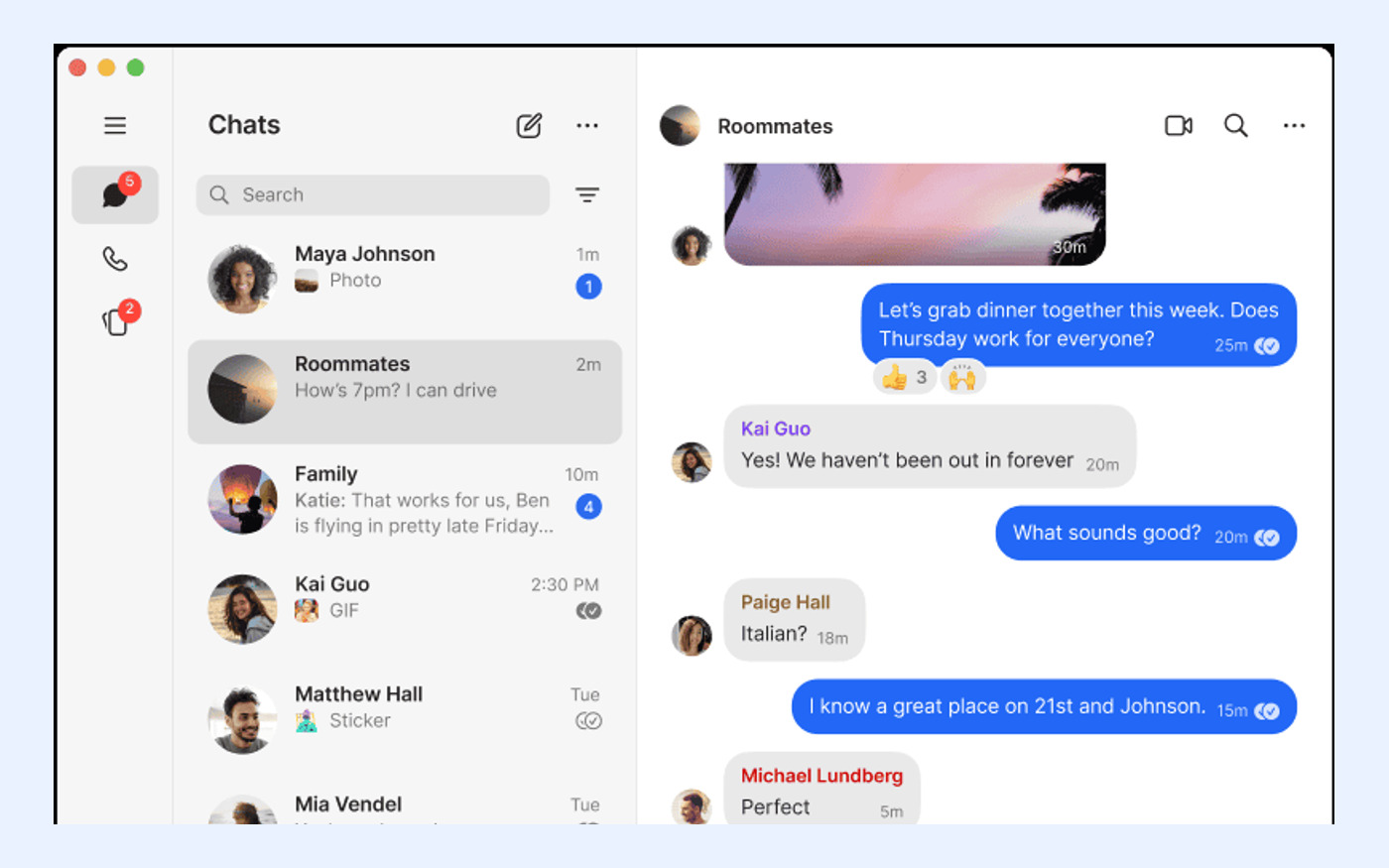
When evaluating Signal for a developer environment, it is crucial to understand the dependency between mobile and desktop clients. Official Signal apps are available for Android, iPhone and iPad, Windows, macOS, and Linux. However, the desktop experience is not standalone. Signal Desktop must be linked to Signal on an Android or iOS phone; standalone desktop registration is not supported. This means every team member must have a functioning mobile installation before they can access Signal on their workstation.
This architectural choice has implications for team onboarding and device management. If your workflow requires independent desktop accounts without mobile device dependency, Signal’s current structure may be unsuitable. Evaluators should test the linking process to ensure it fits within their IT security protocols. The linking process is secure, but it necessitates that the primary mobile device is available and accessible during the initial setup of any secondary desktop or tablet client.
- List all required platforms: Android, iPhone/iPad, Windows, macOS, Linux.
- Note that Signal Desktop must be linked to a mobile Signal account; standalone desktop registration is not supported.
- Ensure team members have access to a mobile device for initial account setup.
Evaluate Linked Device Limits and Media Synchronization
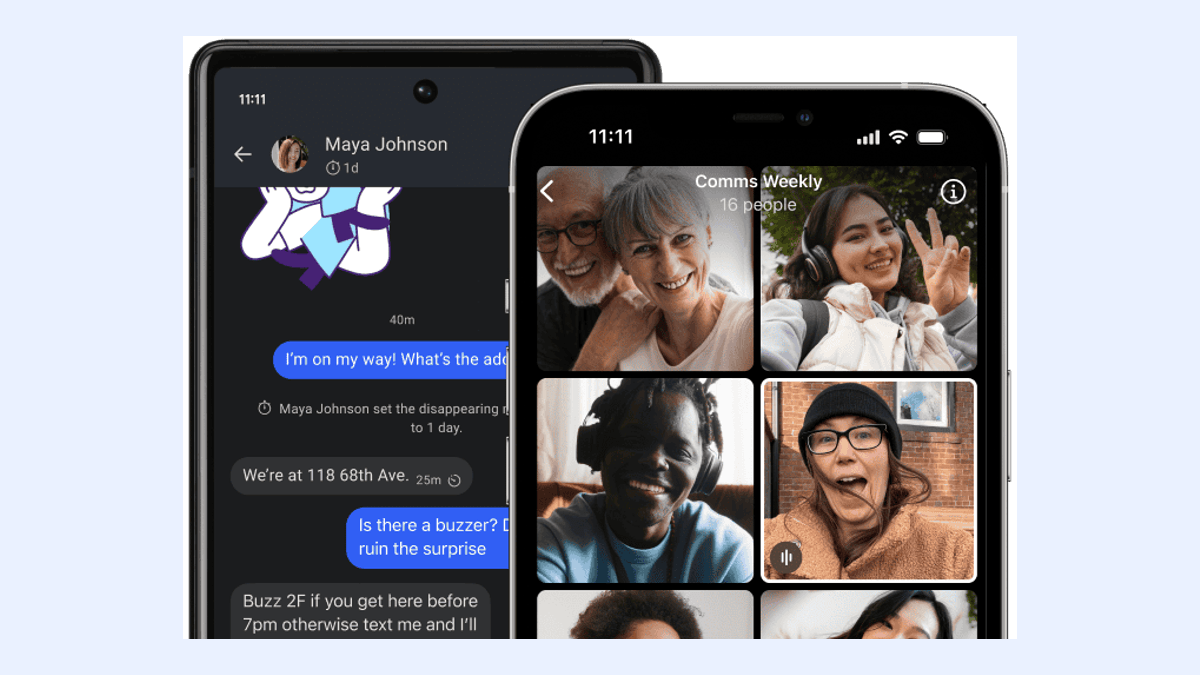
For developers who switch between multiple workstations or use tablets for code review, understanding device limits is essential. A single Signal phone can have up to five linked devices. This limit allows for a robust multi-device setup, such as a primary phone, a work laptop, a personal desktop, and a tablet. However, evaluators must be aware of the synchronization behavior during the initial linking phase.
When a new device is linked for the first time, Signal synchronizes chats plus the last 45 days of media. Media older than 45 days will not automatically sync to the newly linked device. This is a significant consideration for teams that rely on historical media references, such as screenshots of error logs or design mockups shared months prior. If your team requires full historical media access across all devices immediately upon linking, this limitation represents a tradeoff that must be managed through alternative archival methods.
- Confirm that one Signal phone can link up to five devices.
- Verify that first-time linking synchronizes chats plus the last 45 days of media.
- Plan for alternative storage if access to media older than 45 days is required on new devices.

Review Backup Strategy and Recovery Key Responsibilities
Data retention and recovery are critical components of any software evaluation. Signal offers Secure Backups, which are optional and end-to-end encrypted. These backups protect chat history and media, but they come with a strict security model: they are protected by a 64-character recovery key that Signal cannot recover. This means the responsibility for key management lies entirely with the user. There is no password reset mechanism for backup access.
For development teams, this necessitates a disciplined approach to key storage. If a team member loses their recovery key, Signal cannot restore their backup, resulting in permanent data loss for those backed-up items. While Signal currently lists an optional Secure Backups paid media-storage plan at US$1.99 per month, the core encryption and key management principles remain unchanged. Evaluators should ensure that their team has a secure method for storing these recovery keys, such as a password manager, before relying on this feature for critical data preservation.
- Confirm that Secure Backups are optional and end-to-end encrypted.
- Note that backups are protected by a 64-character recovery key that Signal cannot recover.
- Establish a team protocol for secure storage of recovery keys to prevent data loss.
Compare Signal Against Alternative Developer Messaging Tools
When comparing Signal to other tools often considered by developers, such as WhatsApp, Telegram, Threema, SimpleX Chat, Session, and Element/Matrix, the decision should hinge on specific architectural differences rather than general popularity. Signal’s key differentiator is its combination of default end-to-end encryption, nonprofit status, and minimal metadata collection. Unlike some alternatives that may store message history on central servers or require complex server self-hosting, Signal offers a balanced approach of ease-of-use and strong privacy.
However, each alternative has its own tradeoffs. For instance, some tools may offer easier standalone desktop usage or different approaches to identity verification. Evaluators should map their non-negotiable criteria—such as encryption defaults, platform support, backup control, and registration requirements—against each option. Signal’s requirement for a phone number, mitigated by username features, may be a fit for some teams but a barrier for others seeking complete anonymity. The goal is to match the tool’s architecture to your specific workflow constraints rather than assuming a universal best choice.
- List your non-negotiable criteria: encryption defaults, platform support, backup control, registration requirements.
- Map each alternative's approach to phone-number privacy, device linking, and backup recovery.
- Avoid assuming any alternative is universally superior; focus on workflow fit.
Confirm Official Download Sources and Installation Steps
Security-conscious developers must ensure they are obtaining software from verified sources. To install Signal, always use the official website at signal.org/download for all platform installers. This ensures that the application has not been tampered with and is the latest stable version. Third-party download sources may distribute modified or compromised versions, posing a significant security risk to your development environment.
The installation process follows a specific sequence: mobile first, then desktop. Confirm that mobile Signal must be installed and registered before linking desktop or additional devices. This step is critical for a smooth setup experience. By starting with the official mobile app, you establish the primary identity and encryption keys that will subsequently be extended to your linked desktop clients. Always verify the official domain to maintain the integrity of your communication channel.
- Use only signal.org/download for all platform installers.
- Confirm that mobile Signal must be installed and registered before linking desktop or additional devices.
- Avoid third-party download sources to prevent security compromises.
Execute a Pre-Deployment Checklist for Your Team
Before rolling out Signal to your entire development team, conduct a pilot test to validate the workflow. Test linked device setup with at least two devices per team member to ensure the synchronization process works within your network environment. Verify that all team members understand recovery key storage responsibilities, as this is a common point of failure for data recovery. Provide clear documentation on how to generate and store the 64-character recovery key securely.
If team members cannot commit to recovery key management or phone-number registration, postpone deployment and revisit alternative tools. This checklist ensures that the transition to Signal is smooth and that the security benefits are fully realized without unexpected operational hurdles. By addressing these practical constraints upfront, you can leverage Signal’s strong encryption and privacy features effectively within your software development lifecycle.
- Test linked device setup with at least two devices per team member.
- Verify that all team members understand recovery key storage responsibilities.
- Postpone deployment if team members cannot meet registration or key management requirements.